No Filter Review

explainer · Hands-on + researched · 18+

How to Have Janitor AI Speak to You (It Has No Voice Built In)

How to have Janitor AI speak to me, answered honestly: no native voice or TTS exists. The userscript and browser routes that add one, compared.

If you sign up through a link marked "Visit site", I may earn a commission. It never changes what I write. Every number is measured before any partnership exists, and the test date is printed next to it.

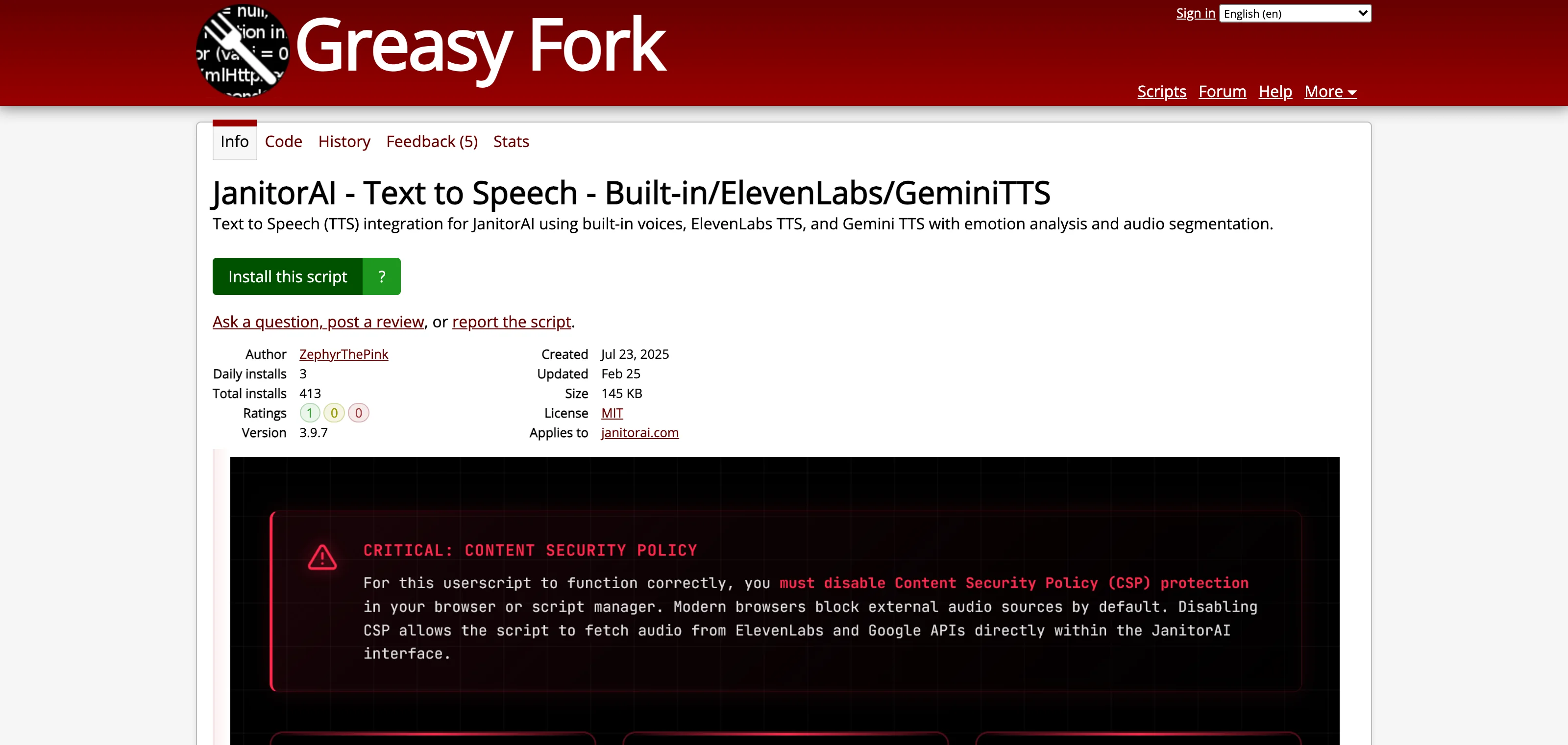
The Greasyfork listing for the JanitorAI Text to Speech userscript with ElevenLabs and Gemini TTS support
Evidence captureThe closest thing to a Janitor voice feature: a community userscript on Greasyfork, version 3.9.7, updated February 26, 2026, wiring ElevenLabs and Gemini TTS into the chat page.

The honest answer before the workarounds

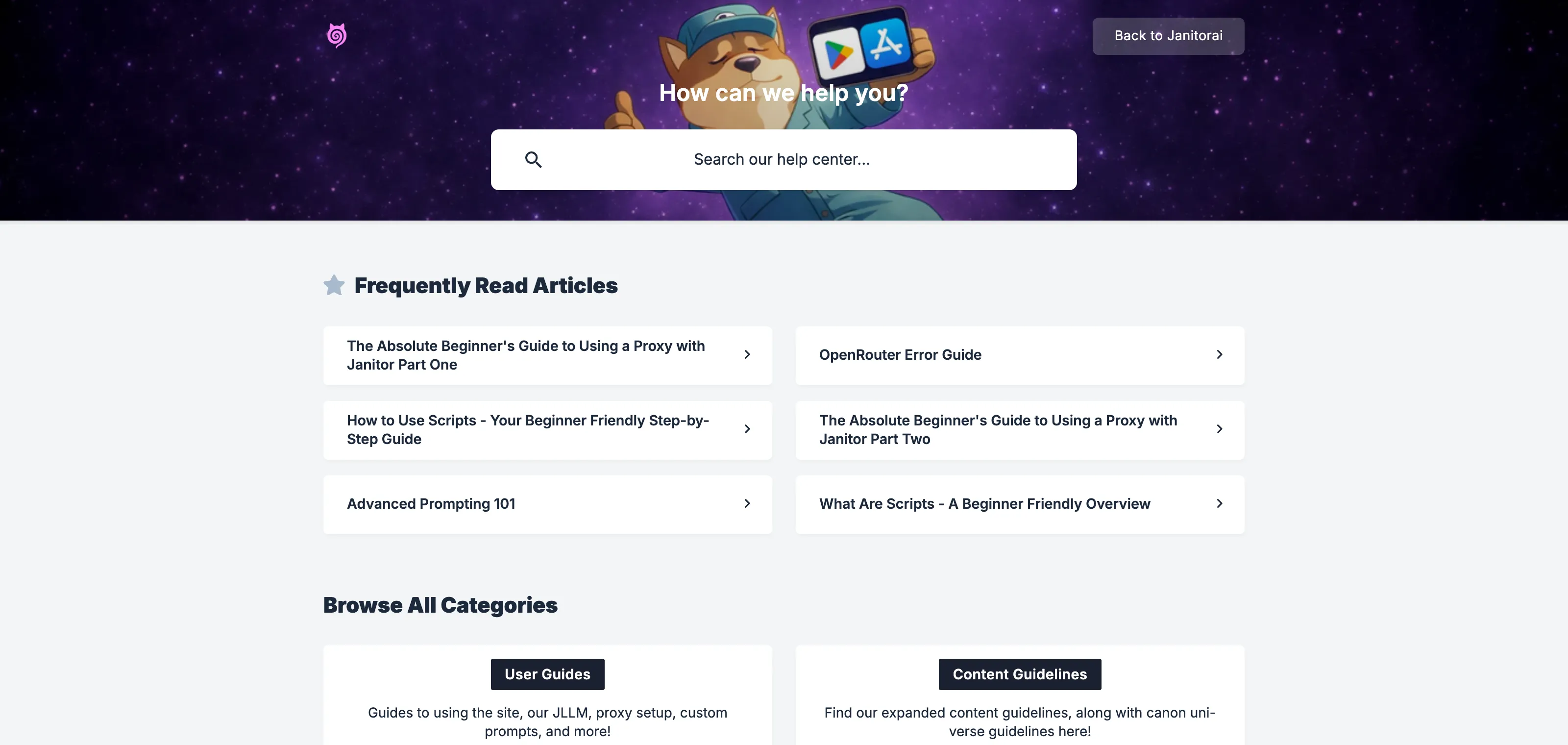
You cannot make Janitor AI speak on its own, because the platform ships no voice and no text-to-speech: the help center carries no voice or audio section, and a site-wide search of it returns nothing. Every guide promising a voice “setting” is describing an add-on, and at least one popular menu path they show (“Extensions, then TTS”) belongs to a different product entirely. What follows are the routes that actually produce sound, in order of how well they fit Janitor specifically.
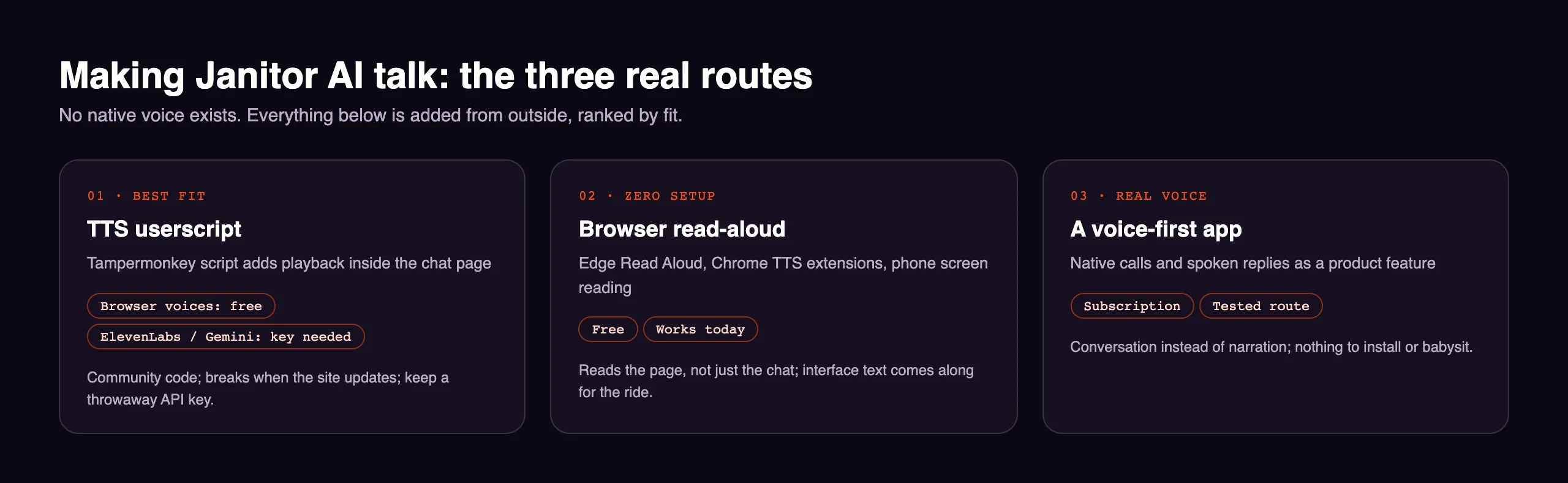
The three real routes to spoken Janitor AI replies: a TTS userscript, browser read-aloud, or a voice-first app

JanitorAI's official help center, whose categories contain no voice or audio section

Route 1: the community TTS userscript (best fit, most setup)

The closest thing Janitor has to a voice feature is a community userscript: “JanitorAI - Text to Speech - Built-in/ElevenLabs/GeminiTTS”, version 3.9.7, updated February 26, 2026, installed through Tampermonkey or any userscript manager. It adds playback controls to the chat page itself and can use your browser’s built-in voices for free, or ElevenLabs and Gemini TTS voices if you supply an API key.

Three honest caveats. It is community code with page access, so read its Greasyfork page before installing and prefer a throwaway API key. It breaks whenever Janitor changes its front end, and a 413-install script has no support department. And ElevenLabs quality costs ElevenLabs money once you pass the free allowance; the browser voices are the actual free tier.

Route 2: read-aloud, no installation

Every major browser can already read a page: Edge’s Read Aloud is the strongest built-in, Chrome has reader-mode reading and a deep bench of TTS extensions (Speechify and its peers), and phones have system-level screen reading. The trade-off is fit: these read the page rather than the chat, so you will hear interface text between replies and the voices are whatever the browser stocks. As a zero-setup way to hear a long scene while multitasking, it works today and cannot break with a site update.

What to pick

You wantUseCost
Replies read in-page, decent voices, freeThe userscript with browser voicesFree
The best voice quality on JanitorThe userscript plus an ElevenLabs keyElevenLabs rates
Zero installation, right nowBrowser read-aloud or a TTS extensionFree
Voice as a real feature, not scaffoldingA voice-first app, belowSubscription

If you actually want a companion that talks

Wiring TTS onto a text platform gets you narration, not conversation: no interruptions, no tone that reacts to you, a pipeline that breaks when the site updates. If hearing the character is the point, that is a product category, and it is one I test with my own money: JOI AI is the voice-first candidate of my test cycle (ranked sixth on my sexting board), and my JanitorAI alternatives page notes which companion apps ship native voice calls rather than borrowed ones.

Sources

Questions people ask

JanitorAI FAQ

Can Janitor AI talk to you?

Not by itself. JanitorAI has no native voice or text-to-speech feature: the help center has no voice or audio category and documents nothing of the kind. Every way to hear replies aloud is an add-on you install, from a community userscript to your browser's own read-aloud.

How do I turn on voice in Janitor AI?

There is no switch to turn on. The working routes are external: the JanitorAI Text to Speech userscript via Tampermonkey for in-page playback with ElevenLabs or Gemini voices, or a browser read-aloud feature or extension that reads the chat like any web page.

Is the TTS userscript safe to use?

It is a community script, not an official feature: it runs with page access through Tampermonkey, and if you wire in an ElevenLabs or Gemini key, that key sits in your browser. Read the script page yourself, use a throwaway API key, and know that a site update can break it at any time.

What is the Extensions then TTS menu guides mention?

Not JanitorAI. That menu path belongs to plugin-style interfaces such as SillyTavern and to third-party tools, and guides borrow the screenshot without saying so. On janitorai.com itself there is no Extensions menu and no TTS entry; that confusion is exactly why this page exists.

Which AI chat apps have real voice built in?

In my tested set, JOI AI is the voice-first candidate, and several companion apps ship native voice calls on paid tiers. If hearing the character matters more to you than Janitor's card catalog, a purpose-built voice app beats scaffolding TTS onto a text platform.

Keep reading

The AI companion apps I've paid for and tested

Research tells you what the documents say. The reviews below are where I put my own card on file and found out; the rest keeps you inside this app's file.

Hands-on review

Swipey AI Review

The best-looking AI girlfriend app, and it makes you earn it.

Read →
Hands-on review

Lovescape AI Review

The adult scene that follows your lead, shot after shot.

Read →
Hands-on review

Secret Desires AI Review

The AI girlfriend that follows your fantasy past the first message.

Read →
alternatives

Janitor AI Alternatives: What Actually Holds Up When It Goes Down

Janitor AI down again? 8 researched alternatives sorted by what you want: filter freedom, character libraries, story depth, or full self-host control.

Read →
explainer

How to Set Up DeepSeek on Janitor AI, Now That the Old Way Is Dead

How to set up DeepSeek on Janitor AI in 2026: the old model names died July 24, every old guide is broken, and these two routes actually work.

Read →
explainer

Is Janitor AI Down, or Is It Just You? The 30-Second Check

How to tell in 30 seconds whether Janitor AI is down or it's just you: what the official status page misses, a real outage log, and symptom-matched fixes.

Read →
explainer

How to Import Chat in Janitor AI: What Works, What's Broken, and the Transplant Method

Janitor AI has no native chat import or export. The three methods that work in 2026: the Chatbot Manager extension, DevTools export, transplant.

Read →
explainer

Best Free Uncensored Models for Janitor AI, and Which Survive the Rate Limits

The free uncensored models Janitor AI users actually run in 2026: how each behaves in roleplay, which survived the OpenRouter purge, rate limits.

Read →
explainer

How to Do a Perspective Change in Janitor AI (3 Prompts That Stick)

How to do a perspective change in Janitor AI: no official POV setting exists, so here are the three prompt placements that work, ranked by durability.

Read →
explainer

Janitor AI Proxy: Setup, Free Options, and What Every Error Code Means

What a Janitor AI proxy actually is, the current setup flow, which free options still exist as of July 2026, and a fix for every error code from 401 to 503.

Read →
safety

Is Janitor AI Safe? I Read the Privacy Policy So You Don't Have To

Is Janitor AI safe? Who runs it, where your chats go, what the December 2025 privacy policy actually says, the proxy question nobody covers, and the breach record.

Read →
App profile

JanitorAI profile and rankings

Where JanitorAI stands in the No Filter Arena, with community scores and tracked data.

Read →

Hi, I'm Sam.

I test AI companion apps with my own subscriptions and read the policies nobody else finishes. Forget about love. I'm here for the data.

Stay up to date, once a week.